Data Management Glossary nnn
-
A
- Active Storage
- Adaptive Data Management
- AI Agents
- AI and Corporate Data
- AI Compute
- AI Data Extraction
- AI Data Governance
- AI Data Ingestion
- AI Data Leakage
- AI Data Management
- AI Data Pipelines
- AI Data Preparation
- AI Data Workflows
- AI Inferencing
- AI Infrastructure
- Air Gap
- Alternate Data Streams (ADS)
- Amazon (AWS) S3 Intelligent Tiering
- Amazon FSx
- Amazon Glacier (AWS Glacier)
- Amazon S3 (AWS S3)
- Amazon S3 Glacier Instant Retrieval
- Amazon Tiering
- Analytics-driven Data Management
- Application Programming Interface (API)
- Archival Storage
- Archiving
- Artificial Intelligence (AI)
- AWS DataSync
- AWS Lambda
- AWS Snowball
- AWS Storage
- Azure Data Box
- Azure NetApp Files
- Azure Storage
- Azure Tiering
-
C
- Capacity Planning
- Carbon footprint
- Carbon Usage Effectiveness
- Chain of Custody
- Chargeback
- Checksum
- Cloud Archiving
- Cloud Cost Optimization
- Cloud Costs
- Cloud Data Analytics
- Cloud Data Growth Analytics
- Cloud Data Management
- Cloud Data Migration
- Cloud Data Storage
- Cloud File Storage
- Cloud Migration
- Cloud NAS
- Cloud Object Storage
- Cloud Storage Gateway
- Cloud Tiering
- CloudPools
- Cold Data
- Common Internet File System (CIFS)
- Compression
-
D
- Dark Data
- Data Analytics
- Data Archiving
- Data Backup
- Data Center Consolidation
- Data Center Emissions
- Data Classification
- Data Curation
- Data Governance
- Data Hoarding
- Data Indexing
- Data Lake
- Data Lakehouse
- Data Lifecycle Management
- Data Lineage
- Data Literacy
- Data Management
- Data Management for AI
- Data Management Policy
- Data Migration
- Data Migration Chain of Custody
- Data Migration Plan
- Data Migration Software
- Data Migration Warm Cutover
- Data Mobilization
- Data Orchestration
- Data Protection
- Data Retention
- Data Retrieval
- Data Services
- Data Silos
- Data Sprawl
- Data Storage
- Data Storage Costs
- Data Storage Management Services (DSMS)
- Data Storage Optimization
- Data Storage Tags
- Data Tagging
- Data Tiering
- Data Transfer
- Data Virtualization
- Deduplication
- Deep Analytics
- Dell PowerScale
- Dell PowerScale SmartPools
- Department Showback
- Digital Business
- Digital Pathology Data Management
- Direct Data Access
- Director (Komprise Director)
- Disaster Recovery
- Dynamic Data Analytics
- Dynamic Links
-
E
-
F
-
G
-
H
-
I
-
K
-
M
-
N
-
O
-
P
-
R
-
S
- S3
- S3 Data Migration
- S3 Intelligent Tiering
- Scale-Out Grid
- Scale-Out Storage
- Secondary Storage
- Sensitive Data Detection
- Shadow AI
- Shadow IT
- Sharding
- Shared-Nothing Architecture
- Showback
- Smart Data Workflows
- SmartPools
- SMB Data Migration
- SMB protocol (Server Message Block)
- Solid State Drives (SSDs)
- Storage Area Network (SAN)
- Storage Array
- Storage as a Service
- Storage as a Service (STaaS)
- Storage Assessment
- Storage Costs
- Storage Efficiency
- Storage Insights
- Storage Metrics
- Storage Pool
- Storage Reclamation
- Storage Refresh
- Storage Tiering
- Stubs
- Sustainable Data Management
- Symbolic Link
- System Metadata
-
U
- Unstructured Data
- Unstructured Data AI
- Unstructured Data Analytics
- Unstructured Data Classification
- Unstructured Data Governance
- Unstructured Data Management
- Unstructured Data Migration
- Unstructured Data Preparation
- Unstructured Data Storage
- Unstructured Data Tiering
- Unstructured Data Workflows
- Unstructured Metadata
Data Backup
Why Data Backup?
Data loss can occur from a variety of causes, including computer viruses, hardware failure, file corruption, fire, flood, or theft, etc. Data loss may involve critical financial, customer, and company data, so a solid data backup plan is critical for every organization.
Data backup plan considerations:
- What data (files and folders) to backup
- How often to run your backups
- Where to store the backup data
- What compression method to use
- What type of backups to run
- What kind of media on which to store the backups
In general, you should back up any data that can’t be replaced easily. Some examples are structured data like databases, and unstructured data such as word processing documents, spreadsheets, photos, videos, emails, etc. Typically, programs or system folders are not part of a data backup program. Installation discs, operating system discs, and registration information should be stored in a safe place.
Data backup frequency depends on how often your organizational data changes.
- Frequently changing data may need daily or hourly backups
- Data that changes every few days might require a weekly or even monthly backup
- For some data, a backup may need to be created each time it changes
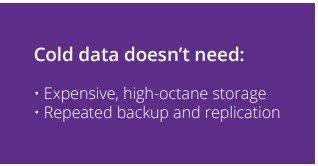
The challenge with unstructured data is that backing up unstructured data is not only time consuming but also very complex, with millions to billions of files of various sizes and types and growing at an astronomical rate, leaving enterprises to struggle with long backup windows, overlapping backup cycles, backup footprint sprawl, spiraling costs, and above all, vulnerable in the case of a disaster.
Read the white paper: Rein in Storage and Backup Costs.
Read the post: 5 Ways to Get to the Cloud Smarter and Faster
Backing Up Unstructured Data First (Before Analysis) is Backwards
Don’t backup data first. Know your data first to make smarter, cost-saving decisions. Start with the Komprise TCO calculator.
Learn more about Komprise Analysis.
Related Terms
Getting Started with Komprise:
- Learn about Intelligent Data Management
- Schedule a demonstration with our team
- Read the latest State of Unstructured Data Management Report